
NEW IN 2026
Digital patient documentation for Divera alerts
Connect Divera to Sanboard and create patient records directly for your alerts.
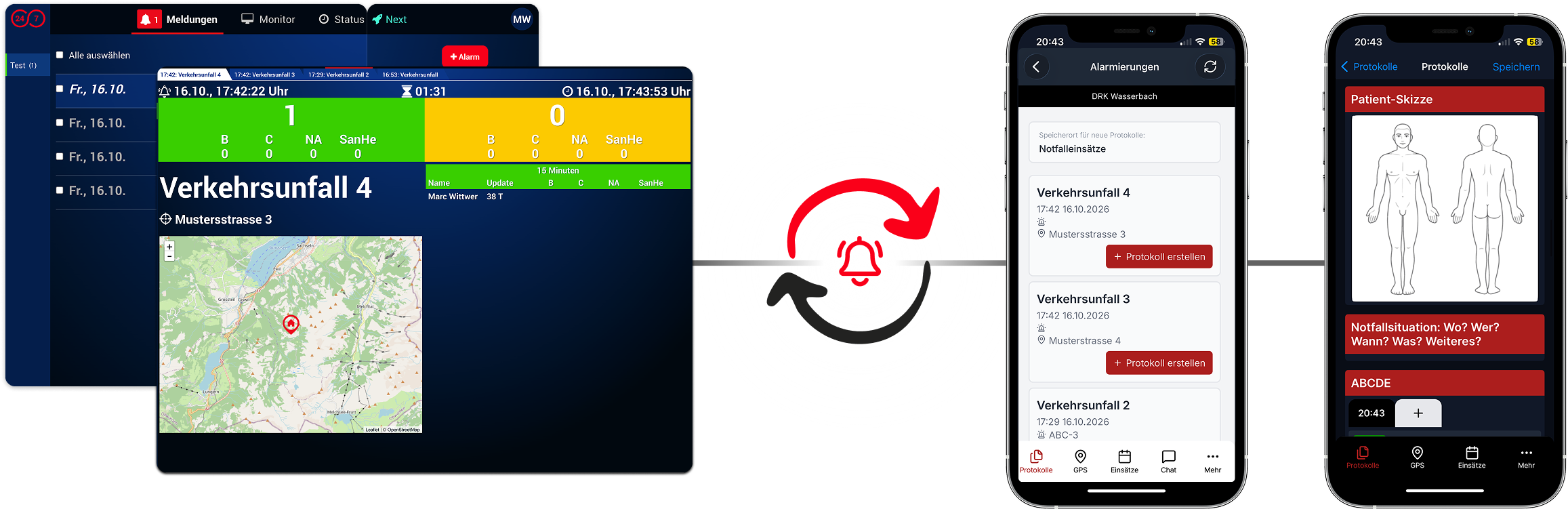
Automatic alert import
Incidents from Divera 24/7 go straight into Sanboard.
Automatically transferred incident data
Incident keyword, incident message, address, coordinates and incident number are transferred automatically.
Digital patient records
From the incident through to follow-up – all data in Sanboard.
Alerts
B3 Traffic accident
14:32 12.10.2026
2026-08142
Bahnhofstrasse 12, 8001 Zürich
Technical assistance
13:18 12.10.2026
2026-08138
Seestrasse 45, 8002 Zürich
How the integration works
From alert to patient record
- 1
Alerting in Divera
An alert is recorded and triggered in Divera as usual.
- 2
Select the alert in Sanboard
The alert appears in the Sanboard Mobile App. Select the matching alert from the list.
- 3
Create a patient record
Sanboard automatically transfers the available incident data into the patient record. You can complete the patient documentation on site.
Setup guide
How to set up the Divera integration
The integration consists of three steps: enable the integration in Sanboard, add the webhook in Divera, and enter the API key in Sanboard.
Step 1: Enable the integration in Sanboard
Open the Sanboard web app and go to the following in the side menu:
Enable the integration using the corresponding checkbox.
Divera 24/7
Enable Divera 24/7 integration
Enter this webhook URL in your Divera system so Sanboard is notified automatically about new alerts.
The API key is required to retrieve the list of Divera alerts and create patient records from them in Sanboard.
Step 2: Add the webhook in Divera
For Sanboard to be notified automatically about new alerts, you need to enter the webhook URL provided by Sanboard in your Divera system.
To do this, go to the following in Divera:
Copy the webhook URL from the Sanboard settings and enter it in Divera. The webhook notifies Sanboard of new alerts — this is independent of the API key.
Divera 24/7
Enable Divera 24/7 integration
Enter this webhook URL in your Divera system so Sanboard is notified automatically about new alerts.
The API key is required to retrieve the list of Divera alerts and create patient records from them in Sanboard.
Step 3: Create and enter the API key
Sanboard also needs an API key to retrieve the list of Divera alerts. This allows available alerts to be shown in the Sanboard app and selected when creating patient records.
Create the API key in Divera:
- 1. Open Administration → Integrations → System users.
- 2. Create a new system user and save it.
- 3. Copy the generated API key.
- 4. Enter the API key in the Sanboard settings under Settings → Integration → Divera interface.
The connection is now set up.
Divera 24/7
Enable Divera 24/7 integration
Enter this webhook URL in your Divera system so Sanboard is notified automatically about new alerts.
The API key is required to retrieve the list of Divera alerts and create patient records from them in Sanboard.
Ready for digital patient documentation?
Connect Divera to Sanboard and document patients directly for your alerts. Relevant incident data is transferred automatically.